








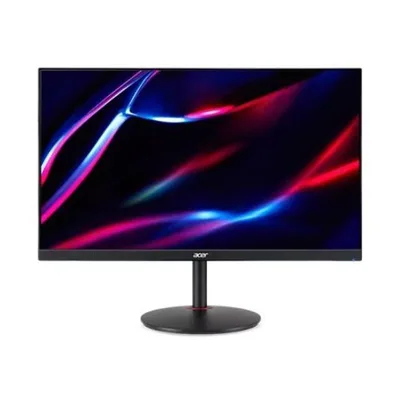
- Screen
- 27" IPS
- Resolution
- 1440p
- Refresh rate
- —
- Brightness
- 250 nits
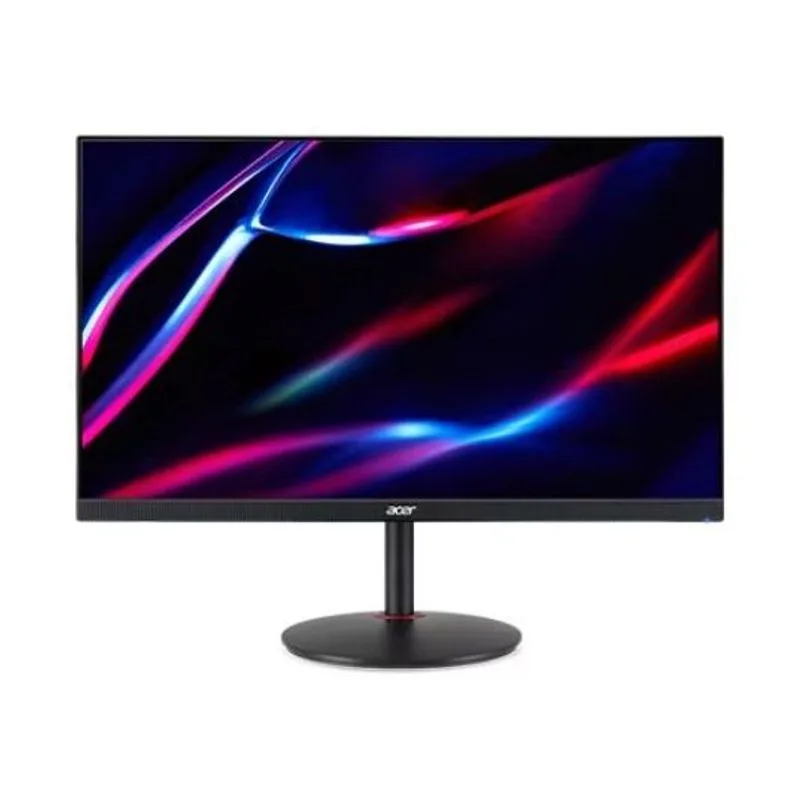
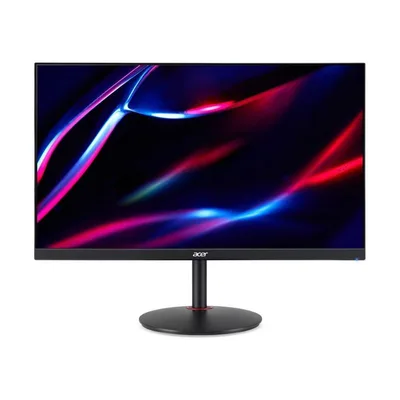
Image source: Acer
Acer Nitro XV272U W2
Also sold as XV272U W2; UM.HX2AA.201
- Screen
- 27" IPS
- Resolution
- 1440p (2560 x 1440)
- Brightness
- 400 nits
- HDR
- DisplayHDR 400
- Ports
- 2x HDMI 2.0 · 1x DP 1.4
- Stand
- Height 120 mm (4.72 in), swivel, pivot
We earn a commission from qualifying Amazon purchases made through our links, at no extra cost to you. This never affects our specs. How we make money.
Find it in these categories
Acer Nitro XV272U W2 at a glance
-
Sharpness
1440p sweet spot
1440p looks noticeably sharper than 1080p at 27 inches, while a mid-range graphics card can still reach high frame rates.
-
Stand
Fully adjustable stand
It raises, tilts, swivels and turns to portrait, so you won't need a monitor arm to get it to the right height.
-
Best for
Built for play
A 27-inch 1440p gaming screen.
-
HDR
HDR in name only
DisplayHDR 400 is the entry-level badge: it accepts HDR signals but can't get bright enough or dark enough for HDR to look much different from normal.
Acer Nitro XV272U W2 full specifications
Overview
| Brand | Acer |
|---|---|
| Model | Nitro XV272U W2 |
| Series | Nitro XV2 |
| Type | Gaming monitor |
| Colors | Black |
Screen
It has a 27-inch 1440p IPS screen, and IPS keeps colors accurate even from the side, which is why most monitors use it.
| Screen size | 27 in |
|---|---|
| Exact diagonal | 27 in |
| Resolution | 2560 x 1440 |
| Pixel density | 109 ppi |
| Aspect ratio | 16:9 |
| Panel type | IPS |
| Panel name | IPS |
| Curved | No |
| Screen finish | Matte (anti-glare) |
| Touchscreen | No |
| Viewing angle | 178° |
Picture & color
It's brighter than 85% of the monitors we list, so bright rooms are less of a problem. DisplayHDR 400 is the entry badge, so HDR is a small bonus here, and not worth paying extra for.
| Brightness | 400 nits |
|---|---|
| Contrast ratio | 1,000:1 |
| DisplayHDR certificate | DisplayHDR 400 |
| Color depth | 8-bit |
| sRGB coverage | 99 % |
Ports
Two HDMI inputs and one DisplayPort input leave room for three devices without swapping cables.
| HDMI ports | 2 |
|---|---|
| HDMI version | 2.0 |
| DisplayPort inputs | 1 |
| DisplayPort version | 1.4 |
| USB-C video | No |
| Headphone jack | Yes |
| All ports | 2x HDMI 2.0, 1x DisplayPort 1.4, 1x headphone out |
Stand & mounting
Height, tilt, swivel and a turn to portrait are all built in, so you won't need an arm to get it right.
| Height adjustment | 120 mm (4.72 in) |
|---|---|
| Tilt | -5° to 25° |
| Swivel | -360° to 360° |
| Portrait mode (pivot) | Yes |
| VESA mount | 100 x 100 |
Audio, camera & extras
Small built-in speakers cover calls and alerts, nothing more.
| Speakers | Yes |
|---|---|
| Speaker power | 2 W |
Size, weight & power
| Dimensions with stand | 614 x 521 x 234 mm (24.17 x 20.51 x 9.21 in) |
|---|---|
| Dimensions without stand | 615 x 366 x 66 mm (24.21 x 14.41 x 2.6 in) |
| Power use (typical) | 26 W |
| Power use (max) | 60 W |
| Standby power | 0.5 W |
In the box
| In the box | DisplayPort, HDMI, Power |
|---|
Specs compiled from Acer's product pages and datasheets, with some identifiers from Open Icecat. Manufacturers revise hardware between versions, so check the version on the box. Spotted an error? Tell us.
Similar monitors
- Screen
- 27" IPS
- Resolution
- 1440p
- Refresh rate
- —
- Brightness
- 400 nits
- Screen
- 27" IPS
- Resolution
- 1440p
- Refresh rate
- 144 Hz
- Brightness
- 250 nits
- Screen
- 27" VA
- Resolution
- 1440p
- Refresh rate
- 100 Hz
- Brightness
- 250 nits