








Dell S2725DSM vs ViewSonic VS2725-2K
The Dell is the better monitor for work: its stand raises to eye level, it gets brighter and it's faster at 144Hz. Choose the ViewSonic instead if you watch a lot of films and dark games, where VA contrast helps.
We earn a commission from qualifying Amazon purchases made through our links, at no extra cost to you. This never affects our specs. How we make money.
Key differences
- Stand Dell wins
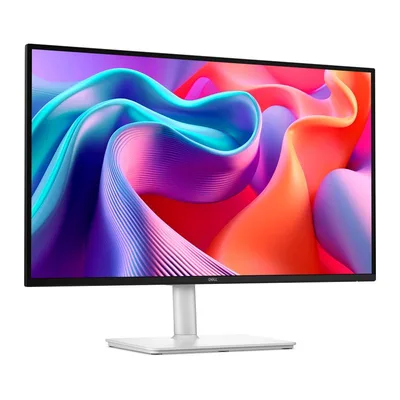
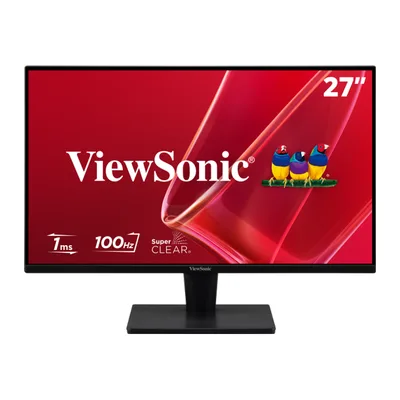
The Dell's stand raises to eye level and turns to portrait, which the ViewSonic's can't: it only tilts, so you may need a riser or an arm.
- Brightness Dell wins
The Dell gets noticeably brighter, so it holds up better in a sunny room.
- Panel type Depends on you
The ViewSonic's VA panel has deeper blacks, while the Dell's IPS panel has more accurate color from the side and cleaner fast motion.
- Refresh rate Dell wins
144Hz against 100Hz. Scrolling looks a little smoother on it.
Which one should you choose?
Choose the Dell if…
- you want to set the screen at eye level without buying an arm
- your desk faces a bright window
- you want accurate color and clean motion from IPS
- you play games and want smoother motion
Choose the ViewSonic if…
- you watch a lot of films and dark games, where VA contrast helps
Full spec comparison
Both are 27-inch 1440p monitors, so the differences come down to stand, brightness and panel type.
Green cells with a ✓ mark the better spec in that row. Tick "Show differences only" to hide the rows where they match.
Overview
| Spec | Dell S2725DSM | ViewSonic VS2725-2K |
|---|---|---|
| Brand | Dell | ViewSonic |
| Type | Office monitor | Office monitor |
| Colors | Ash white | — |
| Warranty | 1 year | — |
Screen
| Spec | Dell S2725DSM | ViewSonic VS2725-2K |
|---|---|---|
| Screen size | 27 in | 27 in |
| Exact diagonal | 27 in | 27 in |
| Resolution | 2560 x 1440 | 2560 x 1440 |
| Pixel density | 109 ppi | 109 ppi |
| Aspect ratio | 16:9 | 16:9 |
| Panel type | IPS | VA |
| Panel name | In-plane Switching (IPS) Technology | VA Technology |
| Curved | No | No |
| Screen finish | Matte (anti-glare) | Matte (anti-glare) |
| Viewing angle | 178° | 178° |
Picture & color
| Spec | Dell S2725DSM | ViewSonic VS2725-2K |
|---|---|---|
| Brightness | 350 nits | 250 nits |
| Contrast ratio | 1,500:1 | 4,000:1 |
| HDR formats | — | HDR10 |
| Color depth | 8-bit | 10-bit |
| Uses FRC dithering | — | Yes |
| sRGB coverage | 99 % | — |
Gaming & motion
| Spec | Dell S2725DSM | ViewSonic VS2725-2K |
|---|---|---|
| Refresh rate | 144 Hz | 100 Hz |
| Overclocked refresh | — | No |
| Adaptive sync | FreeSync, HDMI VRR | — |
| Response time (GtG) | 4 ms | 4 ms |
| Response time (MPRT) | 1 ms | 1 ms |
Ports
| Spec | Dell S2725DSM | ViewSonic VS2725-2K |
|---|---|---|
| HDMI ports | 1 | 2 |
| HDMI version | 2.1 | 1.4 |
| DisplayPort inputs | 1 | 1 |
| DisplayPort version | 1.4 | 1.4 |
| USB-C video | No | No |
| USB-A ports | 0 | — |
| Headphone jack | — | Yes |
| All ports | 1x HDMI 2.1, 1x DisplayPort 1.4 | 2x HDMI 1.4, 1x DisplayPort, 1x 3.5mm (0.04x 0.14 in) Audio Out, 1x Power in |
Stand & mounting
| Spec | Dell S2725DSM | ViewSonic VS2725-2K |
|---|---|---|
| Height adjustment | 110 mm (4.33 in) | None |
| Tilt | -5° to 21° | -5º / 20º |
| Swivel | 30° to 30° | — |
| Portrait mode (pivot) | Yes | No |
| Pivot range | -90° to 90° | — |
| VESA mount | 100 x 100 | 100 x 100 |
| Stand included | Yes | Yes |
Audio, camera & extras
| Spec | Dell S2725DSM | ViewSonic VS2725-2K |
|---|---|---|
| Speakers | Yes | Yes |
| Speaker power | 3 W | 4 W |
| Flicker-free | Yes | Yes |
| Low blue light | — | Software mode |
| Certifications | ENERGY STAR | ENERGY STAR |
Size, weight & power
| Spec | Dell S2725DSM | ViewSonic VS2725-2K |
|---|---|---|
| Weight with stand | 6.39 kg (14.1 lb) | 3.6 kg (7.9 lb) |
| Weight without stand | 4.34 kg (9.6 lb) | 3.1 kg (6.8 lb) |
| Dimensions with stand | 611.4 x 500.1 x 201.9 mm (24.07 x 19.69 x 7.95 in) | 613.4 x 456.2 x 204.8 mm (24.15 x 17.96 x 8.06 in) |
| Dimensions without stand | 612.1 x 355.6 x 58.4 mm (24.1 x 14 x 2.3 in) | 613.4 x 360.8 x 39.9 mm (24.15 x 14.2 x 1.57 in) |
| Power use (typical) | 21.4 W | 28 W |
| Power use (max) | 65 W | 30 W |
| Standby power | 0.3 W | 0.3 W |
| Power supply | — | External brick |
In the box
| Spec | Dell S2725DSM | ViewSonic VS2725-2K |
|---|---|---|
| In the box | 27 plus QHD monitor - S2725DSM, Stand, Power cable, 1 x HDMI 1.4 cable - 1.80 m (5.91 ft), QR card, Safety, environmental, and regulatory information | VS2725-2K x1, HDMI cable (v1.4; male-male) x1, AC/DC adapter x1, Quick start guide x1 |