








ASUS ZenScreen MB16ACE vs Dell P1425
The Dell is the better monitor to carry around: it's lighter to carry and it gets brighter. The ASUS only makes sense if you find it for noticeably less.
We earn a commission from qualifying Amazon purchases made through our links, at no extra cost to you. This never affects our specs. How we make money.
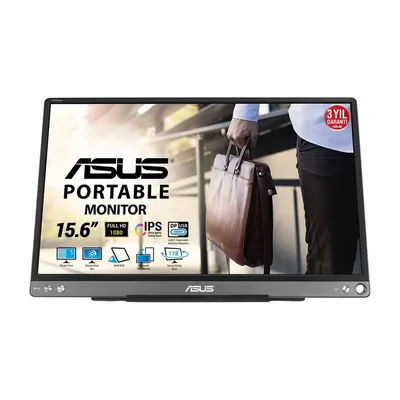
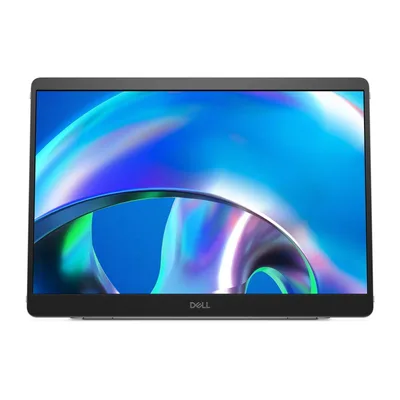
Key differences
- Weight Dell wins
The Dell is lighter, which you'll feel carrying it every day.
- Brightness Dell wins
The Dell gets noticeably brighter, so it holds up better in a sunny room.
Which one should you choose?
Choose the ASUS if…
- you find it for noticeably less
Choose the Dell if…
- you carry it in a bag every day
- you often work in bright rooms or near windows
Full spec comparison
What separates them is weight and brightness, since both are IPS portable monitors.
Green cells with a ✓ mark the better spec in that row. Tick "Show differences only" to hide the rows where they match.
Overview
| Spec | ASUS ZenScreen MB16ACE | Dell P1425 |
|---|---|---|
| Brand | ASUS | Dell |
| Series | ZenScreen | Pro P |
| Type | Portable monitor | Portable monitor |
| Colors | Gray | Silver |
| Warranty | — | 3 years |
| Also sold as | — | DELL Pro Plus P1425 |
Screen
| Spec | ASUS ZenScreen MB16ACE | Dell P1425 |
|---|---|---|
| Screen size | 15.6 in | 14 in |
| Exact diagonal | 15.6 in | 14 in |
| Resolution | 1920 x 1080 | 1920 x 1200 |
| Pixel density | 141 ppi | 162 ppi |
| Aspect ratio | 16:9 | 16:10 |
| Panel type | IPS | IPS |
| Panel name | IPS | In-plane Switching (IPS) Technology |
| Backlight | — | Edge-lit LED |
| Curved | No | No |
| Screen finish | Matte (anti-glare) | Matte (anti-glare) |
| Touchscreen | No | No |
| Viewing angle | 178° | 178° |
Picture & color
| Spec | ASUS ZenScreen MB16ACE | Dell P1425 |
|---|---|---|
| Brightness | 220 nits | 400 nits |
| Contrast ratio | 800:1 | 1,500:1 |
| sRGB coverage | — | 100 % |
Gaming & motion
| Spec | ASUS ZenScreen MB16ACE | Dell P1425 |
|---|---|---|
| Refresh rate | 60 Hz | 60 Hz |
| Overclocked refresh | No | — |
| Response time (GtG) | 5 ms | 7 ms |
Ports
| Spec | ASUS ZenScreen MB16ACE | Dell P1425 |
|---|---|---|
| HDMI ports | 0 | 0 |
| DisplayPort inputs | 0 | — |
| DisplayPort version | — | 1.2 |
| USB-C video | Yes | Yes |
| USB-C laptop charging | — | 65 W |
| USB-A ports | 0 | — |
| USB upstream | USB-C | USB-C |
| Ethernet | — | No |
| Headphone jack | No | No |
| All ports | USB-C x 1 (DP Alt Mode & USB 3.2) | 2x USB-C (DP Alt, 65W PD) |
Stand & mounting
| Spec | ASUS ZenScreen MB16ACE | Dell P1425 |
|---|---|---|
| Height adjustment | None | None |
| Tilt | — | 10° to 90° |
| Portrait mode (pivot) | — | No |
| VESA mount | None | 100 x 100 |
| Stand included | — | Yes |
Audio, camera & extras
| Spec | ASUS ZenScreen MB16ACE | Dell P1425 |
|---|---|---|
| Speakers | No | No |
| Flicker-free | Yes | — |
| Certifications | TÜV Low Blue Light, TÜV Flicker-free | ENERGY STAR 8.0 |
Size, weight & power
| Spec | ASUS ZenScreen MB16ACE | Dell P1425 |
|---|---|---|
| Weight with stand | 0.8 kg (1.8 lb) | 0.621 kg (1.4 lb) |
| Weight without stand | — | 0.572 kg (1.3 lb) |
| Dimensions with stand | — | 315.2 x 223.5 x 14.7 mm (12.41 x 8.8 x 0.58 in) |
| Dimensions without stand | 359.7 x 226.4 x 8 mm (14.16 x 8.91 x 0.31 in) | 315.0 x 223.5 x 5.1 mm (12.4 x 8.8 x 0.2 in) |
| Power use (typical) | 13 W | 5.4 W |
| Power use (max) | — | 7 W |
| Standby power | 0.5 W | 0.3 W |
| Power supply | Built in | External brick |
In the box
| Spec | ASUS ZenScreen MB16ACE | Dell P1425 |
|---|---|---|
| In the box | Warranty card, USB-C cable, USB Type-C to a adapter, Quick start guide, ASUS smart case, Certificate | Pro 14 plus portable monitor - P1425, Stand, 1 x USB Type-C to c upstream cable 1.00 m (3.28 ft), QR card, Safety information |